The phone teleprompter for reels, Shorts and TikTok

Read the script.
Sound unprompted.

Your words scroll right under the lens. Write a script on your laptop and it shows up on every phone on your team while the app is open. Flip cameras mid-take, see who has filmed what, and never lose a take.

What phone do you film on?

We use your email only for Teleprompted early access. We never sell or share it.

Runs in Safari on iPhone and goes on your home screen like an app. Not in the App Store yet. Android hasn't been tested yet, and Autoclip is iPhone-only.

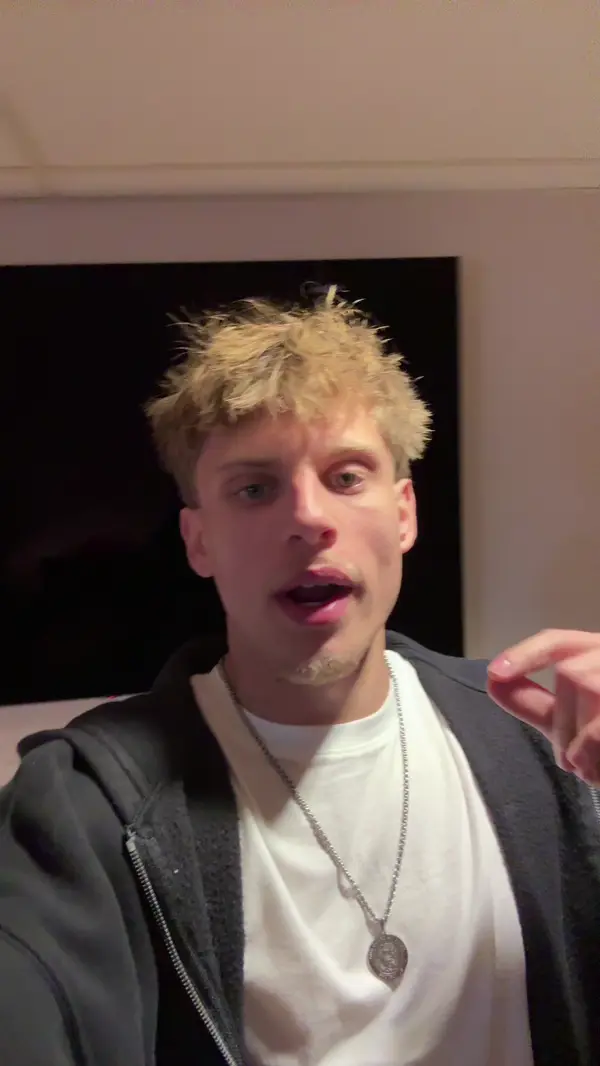
Animated walkthrough of Teleprompted: Carter saves a script on his laptop; Evan's phone shows New go from 1 to 2 and a banner for the new script; Evan opens it and reads it, flipping to the back camera at the cue; he stops, and the take review shows 0:29, 1 flip, Evan; the Takes tab shows it uploading and then In the cloud; Evan's tag on the script turns green; and Carter's phone shows the same script with Evan's tag green.

  • 560K+views on our Unprompted accounts in their first 4 weeks
  • 637posts in one week, filmed and posted by two people
  • 5 appsInstagram, TikTok, YouTube, Facebook and Threads
  • 225,412views on one reel, on Evan's own Instagram

Our own numbers from the Unprompted podcast's accounts, Oct 17 to Nov 12, 2026 (reel views as of Nov 13). We built Teleprompted to keep up with that pace.

Film your next reel on Teleprompted.

Early access is opening to people who post every week.

What phone do you film on?

We use your email only for Teleprompted early access. We never sell or share it.

Script to posted reel, in one app.

Most teleprompters stop when you stop reading. Teleprompted keeps going until the clip is up.

  1. Write

    On your laptop or phone

    Paste it in or import .docx, .rtf, .md or .txt. Add # sections and cue lines.

  2. Read

    Under the lens

    Big words at your speed, with the reading line right below the camera.

  3. Retake

    Only the bad part

    Pause, redo the last segment, keep going. Or one tap back to the top.

  4. Clip

    Autoclip on iPhone

    Sound fixed, paused and redone parts cut, captions written, hook picked.

  5. Post

    Instagram trial reels

    Post now or schedule it, then change or cancel from the Scheduled tab.

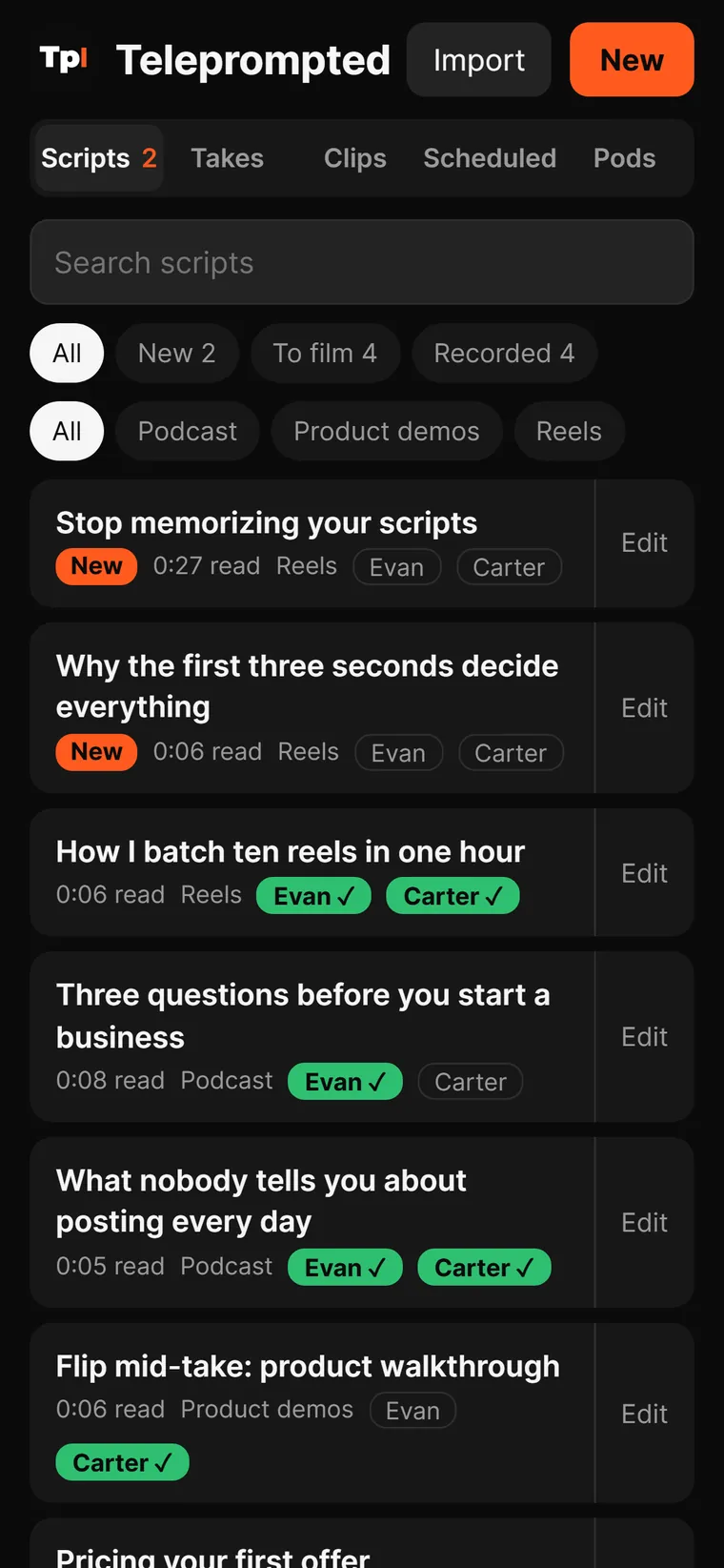
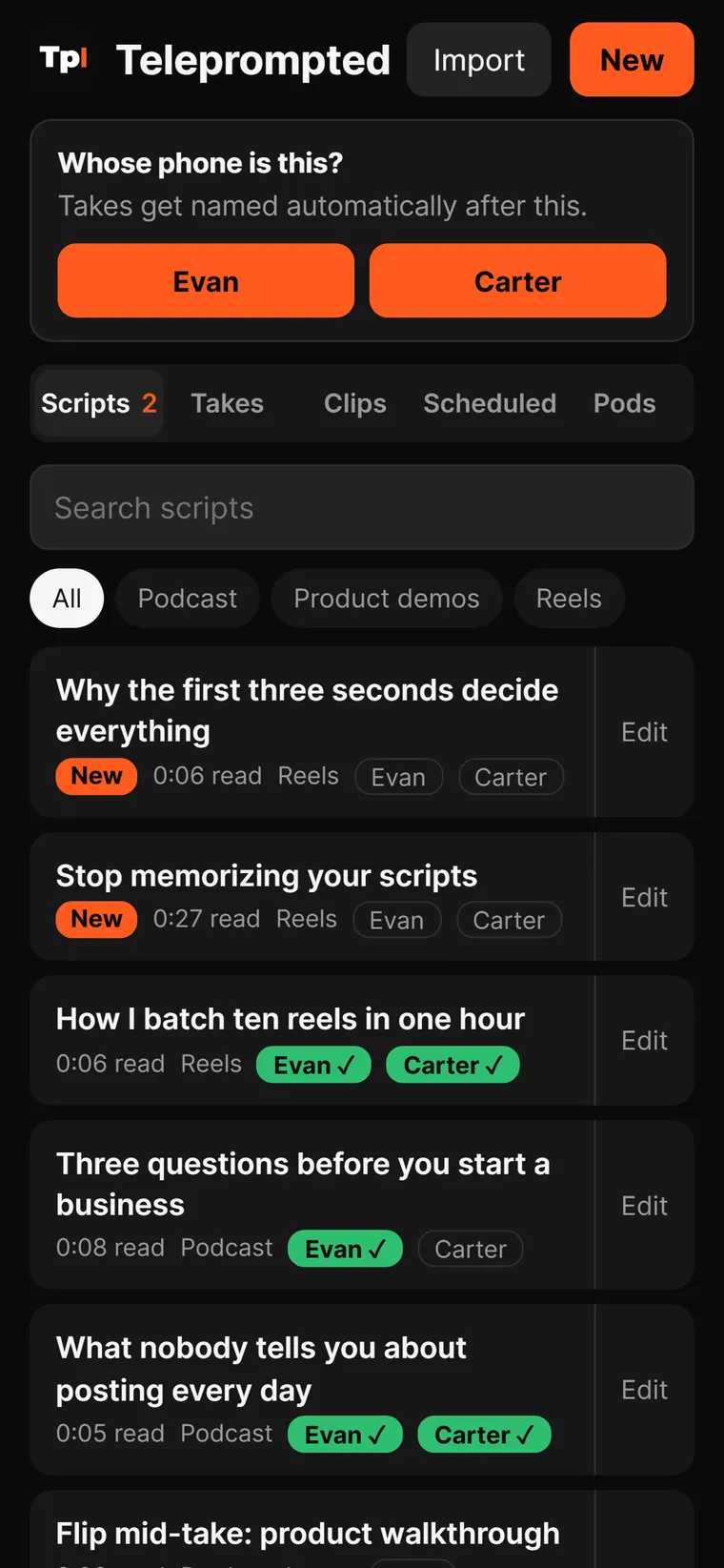
Teleprompted script library: tabs for Scripts, Takes, Clips, Scheduled and Pods, filters New 2, To film 4 and Recorded 4, folder chips Podcast, Product demos and Reels, and scripts tagged New in orange or Evan and Carter in green.

Scripts

Every script your team writes. One list.

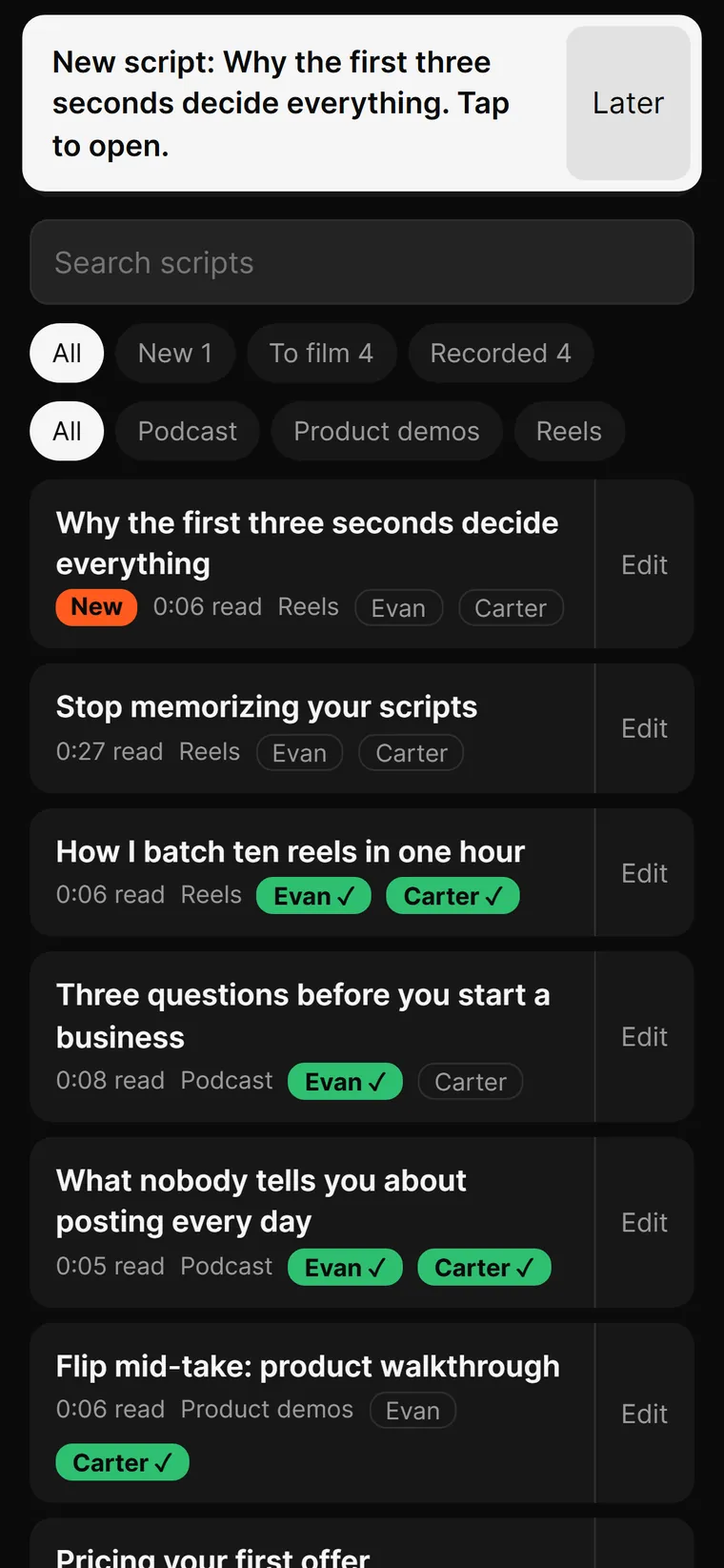
Stop scrolling through Notes to find tonight's script. New ones land at the top with an orange New tag, and the tab tells you how many are waiting.

  • Folders for each show. Podcast, product demos, reels. Tap a chip to filter.
  • Filter by status. All, New, To film or Recorded, with counts.
  • Read time on every row, so you know a 0:27 script from a 0:06 one before you open it.
  • # sections you can jump to mid-script: Hook, The point, Close.
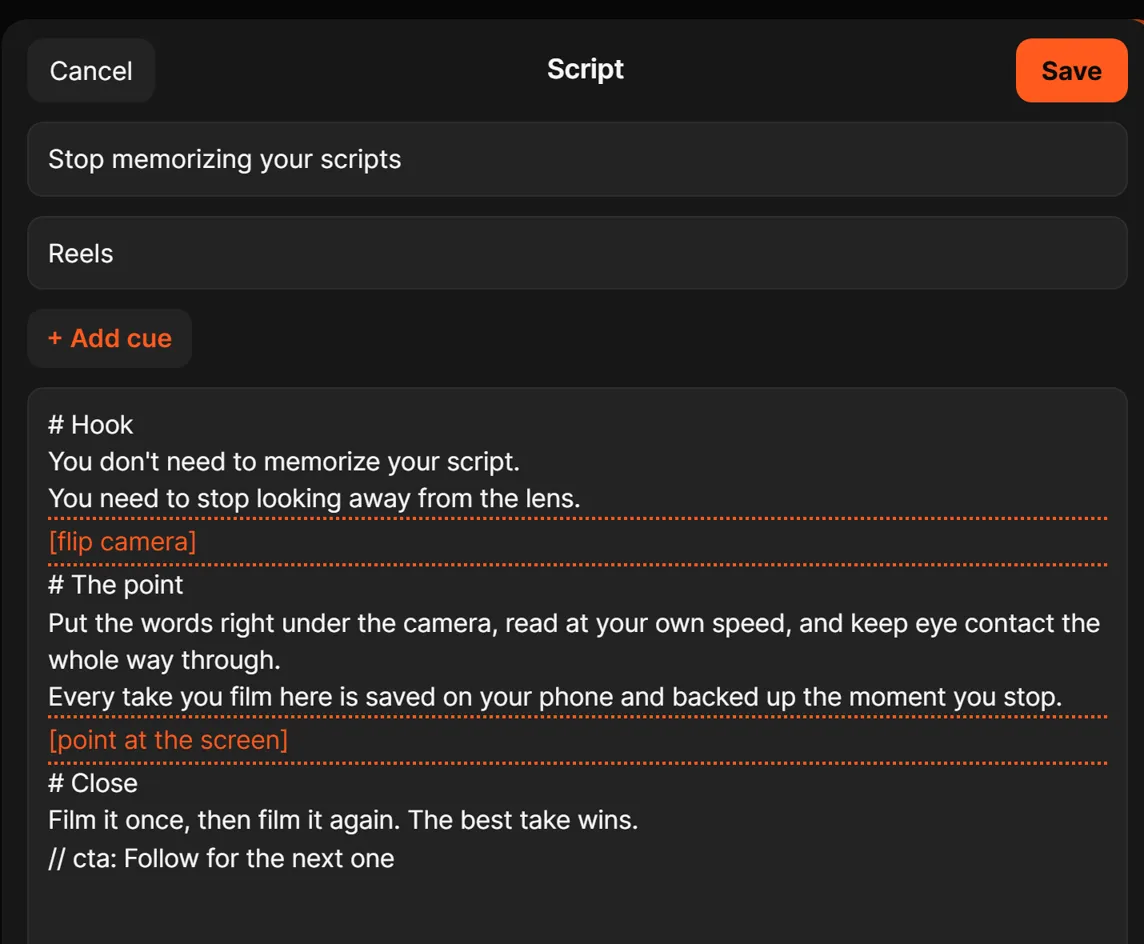
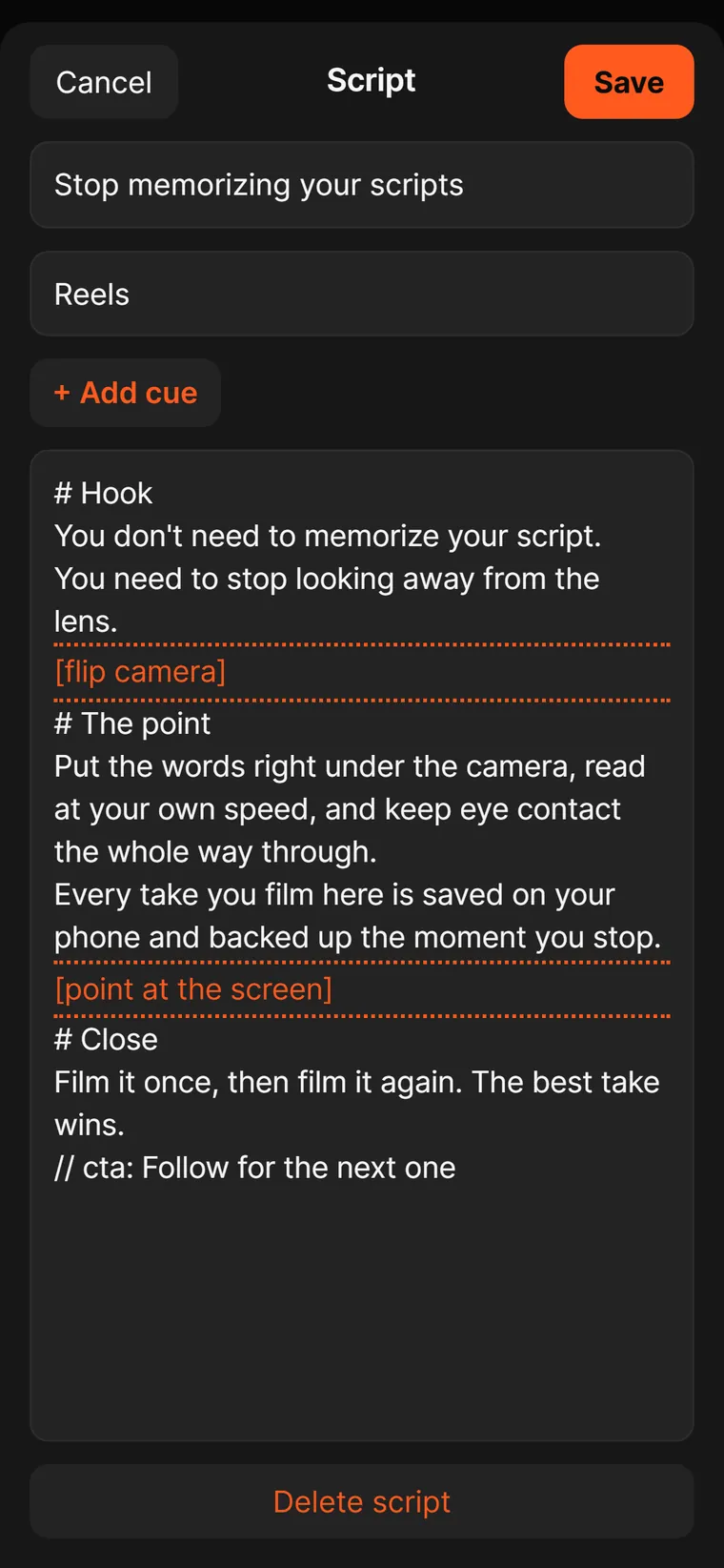
The Teleprompted script editor in a laptop browser: Cancel and Save, the title Stop memorizing your scripts, the Reels folder, + Add cue, and the script with Hook, The point and Close sections and two orange dotted cue lines, flip camera and point at the screen.
Phone showing the banner: New script: Why the first three seconds decide everything. Tap to open.

From the desktop

Write it on your laptop. Film it on your phone.

Open Teleprompted in any laptop browser and write with a real keyboard. Save, and every phone on the team with the app open gets it within about 8 seconds, with a banner that says so.

Swipe to see the phone.

  • "New script: … Tap to open." One tap and you're reading it.
  • Import what you already have: paste formatted text or drop in .docx, .rtf, .md or .txt.
  • Same scripts everywhere. The library syncs, so the phone in your hand and the laptop on your desk match.
The Whose phone is this? picker with Evan and Carter buttons. Takes get named automatically after this.
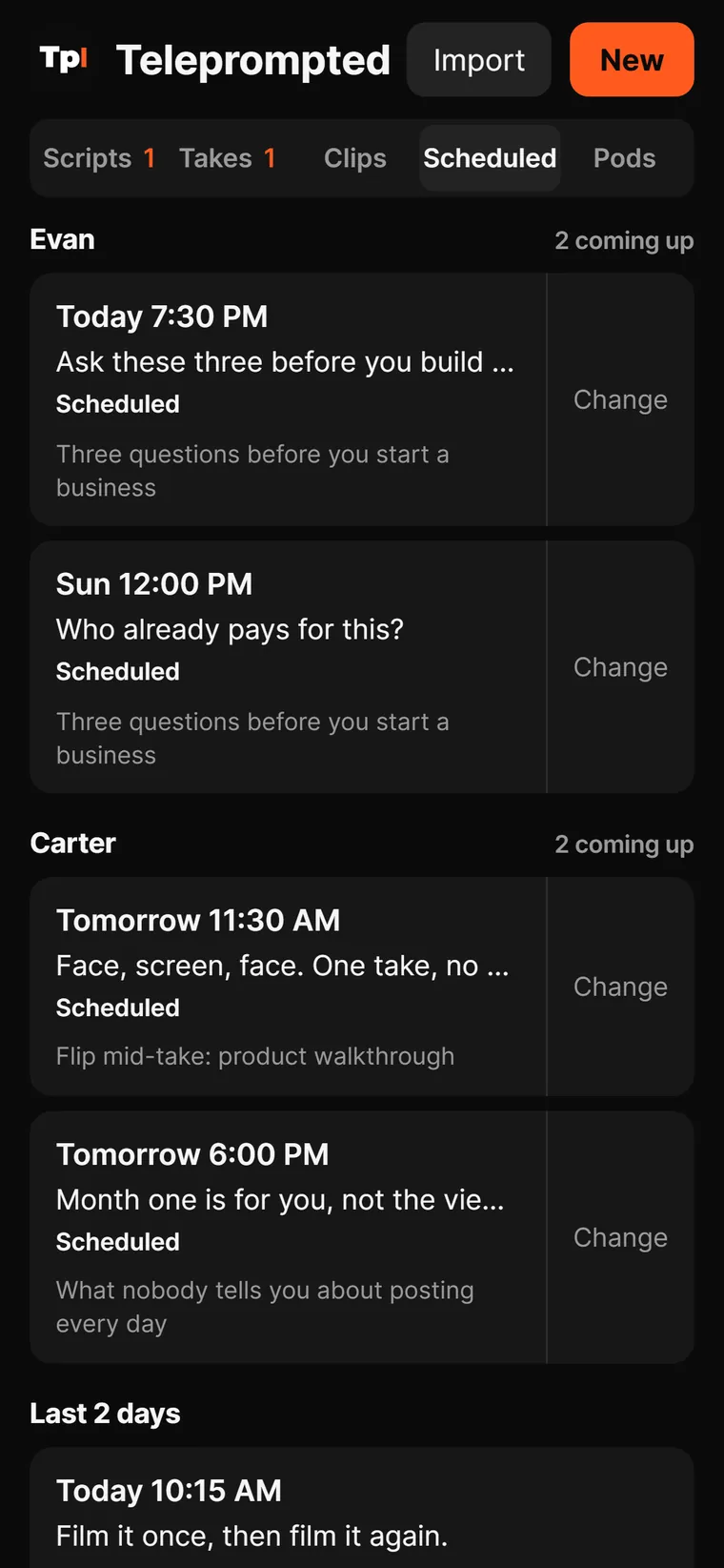
Scheduled tab with Instagram trial reels grouped under Evan and Carter, each with a time and a Change button.

Team

Know who has filmed what.

One library and no more "wait, did you already film this one?" Each phone knows whose it is, and every script shows who has recorded it.

Swipe for more screens.

  • Name tags turn green when that person records the script. Tap a name to mark it yourself.
  • Takes are named after whoever filmed them, automatically.
  • Scheduled posts are grouped by person, so each of you sees what's going out next.
  • Pods: a workspace per brand or person, with its own members and script folders.
The phone script editor with a + Add cue button and orange dotted cue lines in the script.
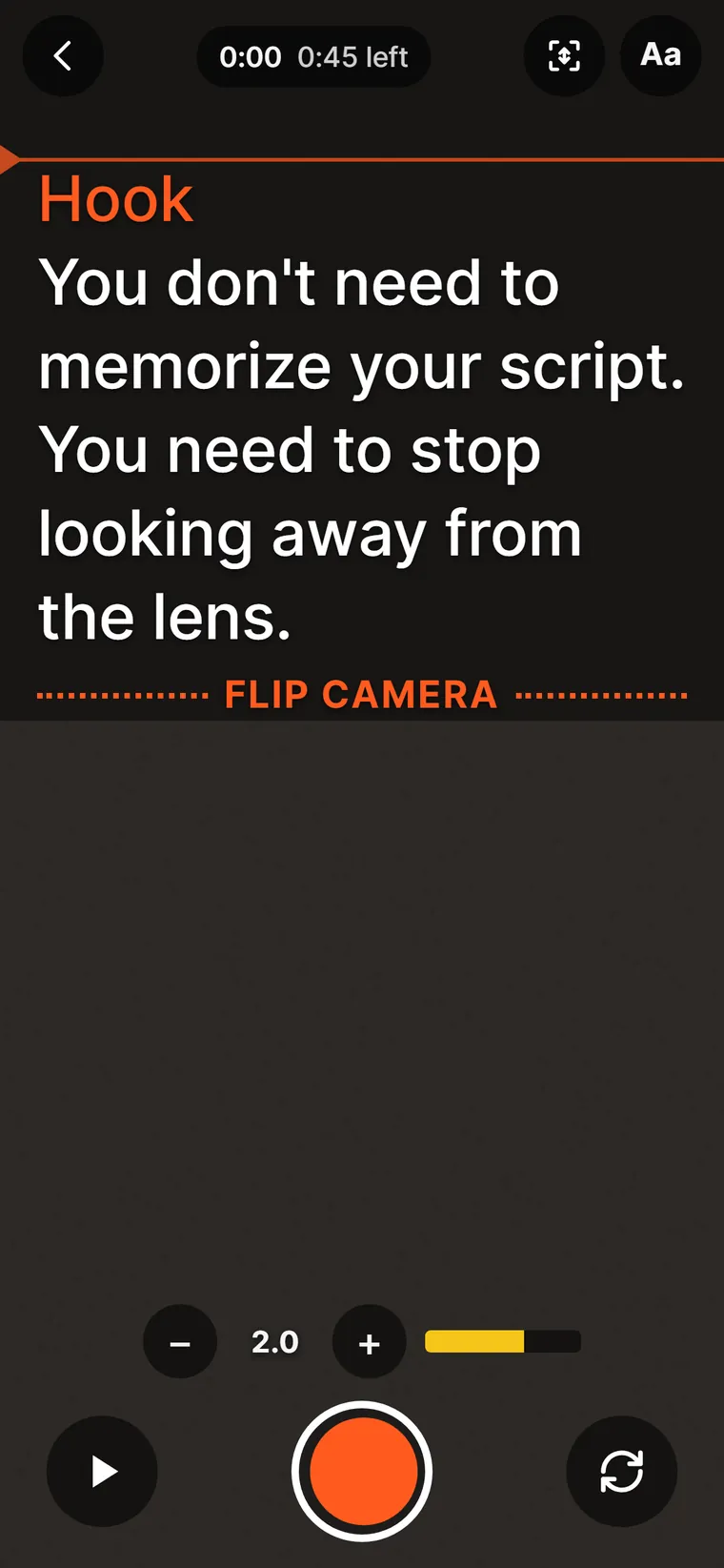
The prompter before recording: the Hook section, the reading line, and an orange FLIP CAMERA cue between dotted rules.

Cue lines and camera flips

Look at the lens, not at the lines.

Write the direction into the script. When the orange cue reaches the reading line, flip. The recording and the sound never stop.

Swipe for more screens.

  • + Add cue drops in a line like [flip camera] or [point at the screen].
  • Cues are never read aloud and never show up in captions.
  • Flip mid-take. Front to back and back again inside one recording. The picture holds for about a third of a second.
  • Also in the app: mirrored text for teleprompter glass, cue cards one beat at a time, a face frame, stabilizing for handheld shots, and speed control.
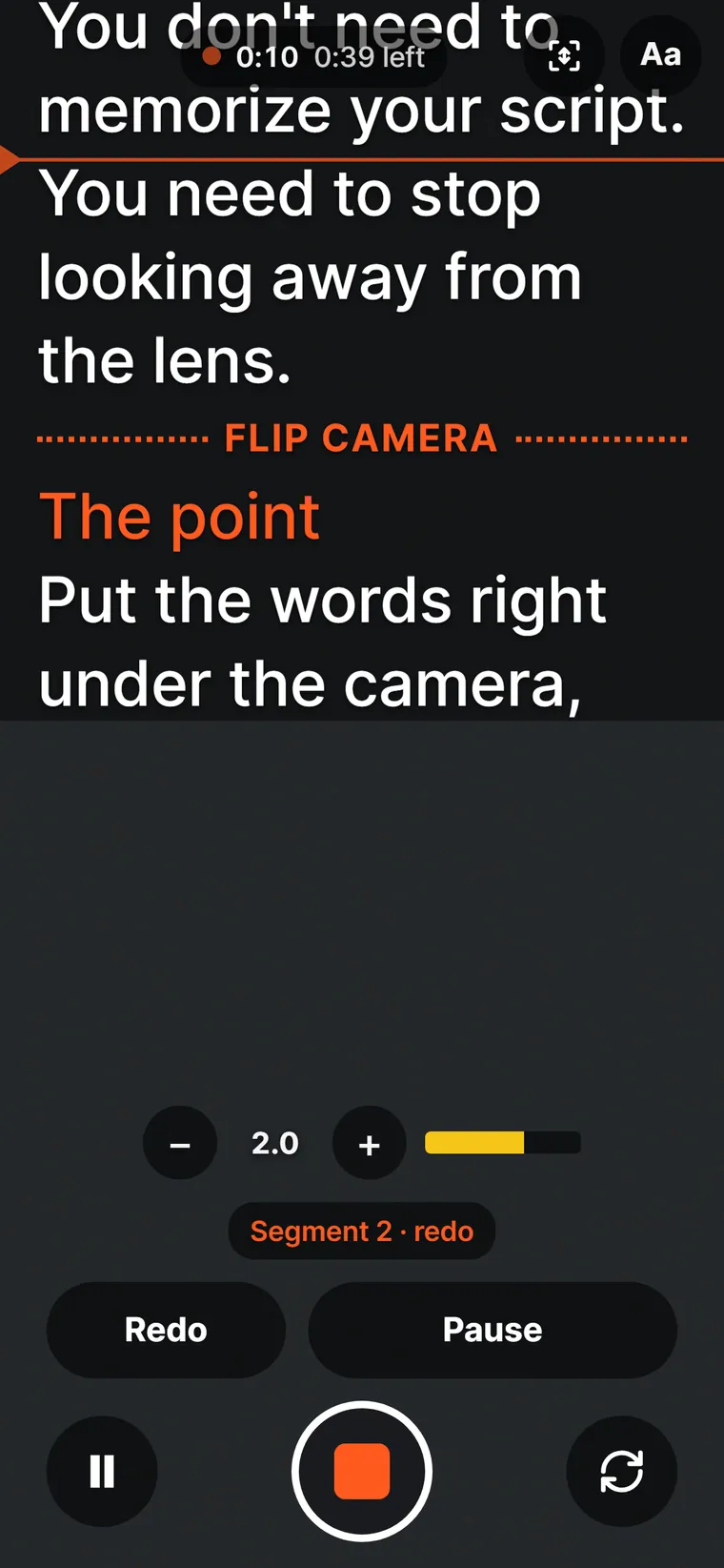
Mid-take: the timer reads 0:10 with 0:39 left, a Segment 2 redo chip, and Redo, Pause and stop buttons.
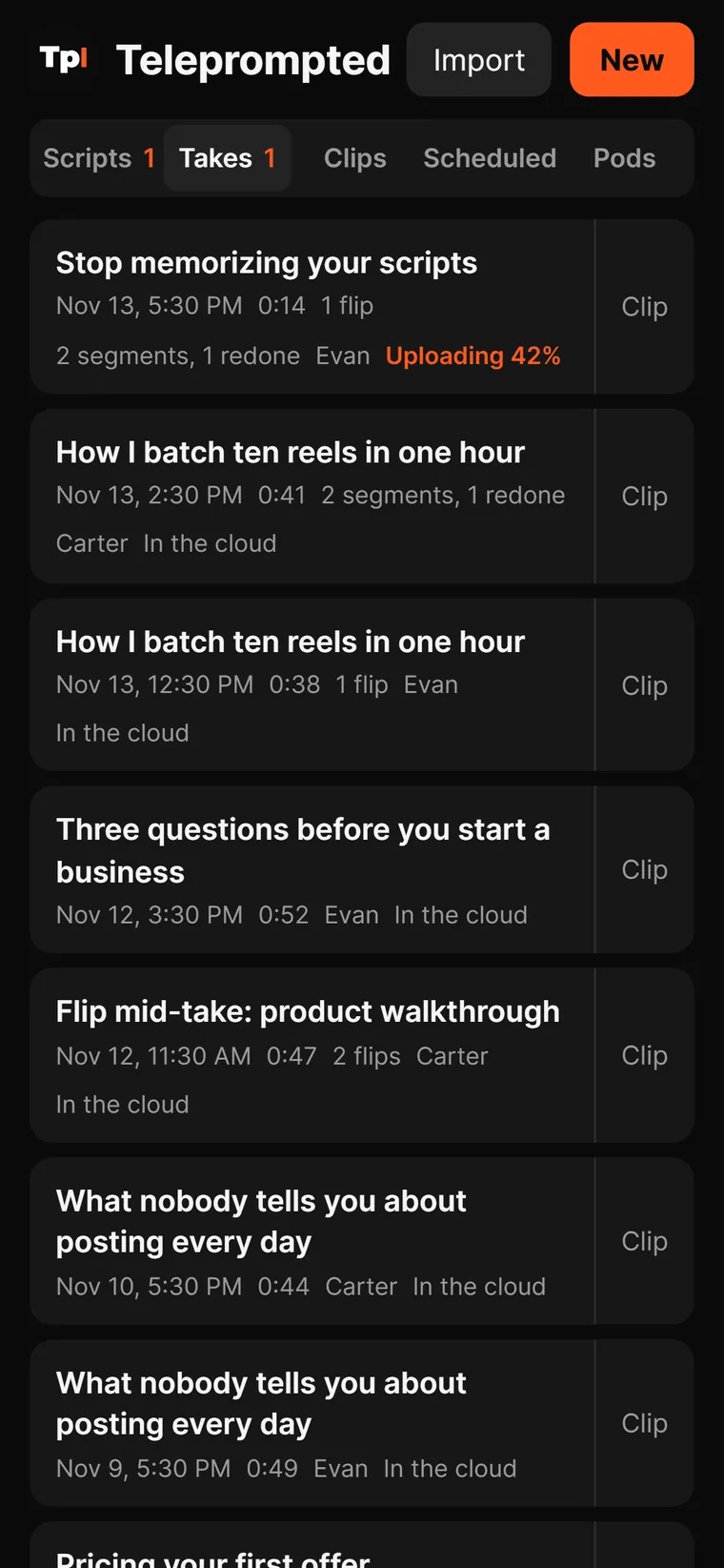
The Takes tab: Evan's and Carter's takes with dates, lengths, flips and segments, marked In the cloud, and one marked Uploading 42%.

Takes

Mess up one line. Redo one line.

Stumbled on the last sentence? Don't throw away the first thirty seconds. Hit Redo, say it again, and the clip keeps only the good parts. Every take saves while you film and backs up when you stop.

Swipe for more screens.

  • Pause, Resume and Redo inside one recording. Bad start? Retake goes back to the top.
  • Every take is logged: length, flips, segments redone, who filmed it.
  • Saved to the phone every 2 seconds while you record, and recovered after a crash.
  • Uploads go up in 8 MB pieces and pick up where they stopped when your signal drops: Uploading 42%, then In the cloud.
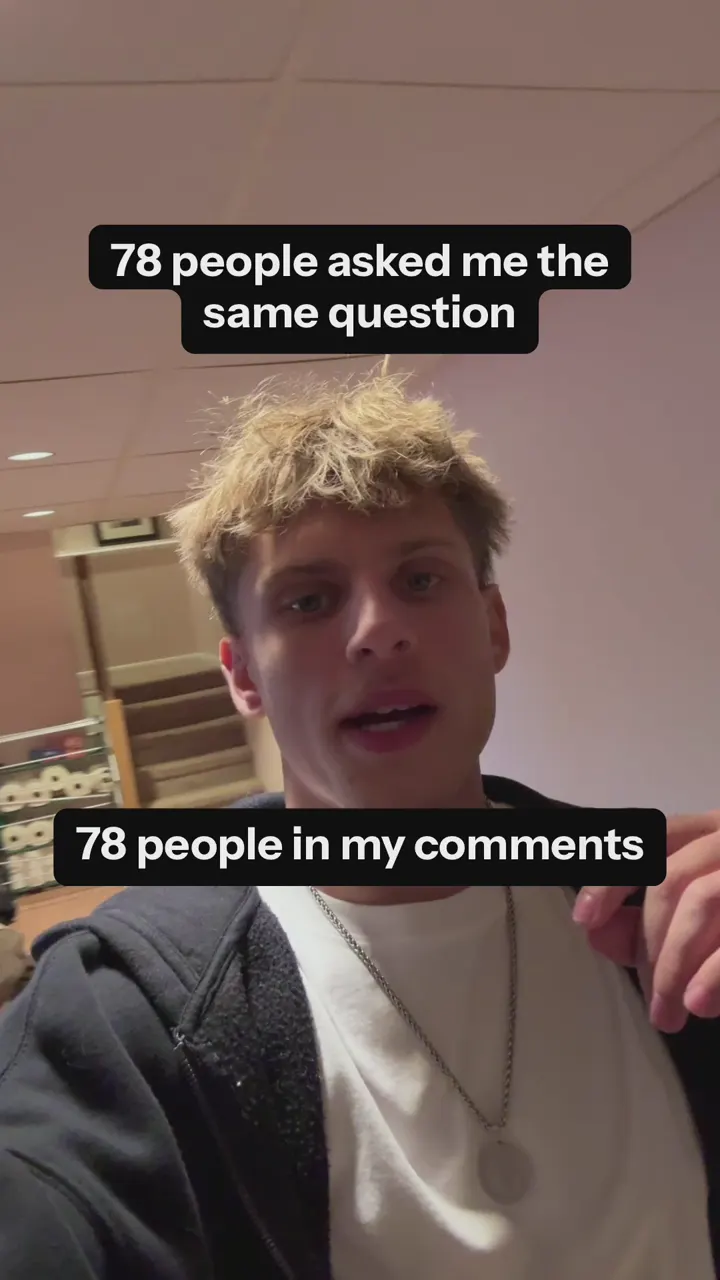
A frame from a clip Autoclip made on an iPhone from one of Evan's takes, with the captions 78 people asked me the same question and 78 people in my comments.

Autoclip, on iPhone

From take to captioned clip in 24 seconds.

No export, no editing app, no second phone. Tap Clip on a take and Autoclip does the edit on the phone: the sound, the cuts and the captions.

Take length
36 s
Quiet phone sound brought up to reel loudness
1.6 s
Paused and redone parts cut, captions written
24 s
Caption look changed
13 s

Timings measured on a real iPhone on Nov 2, 2026, on one of Carter's takes. Pictured: a clip Autoclip made from one of Evan's takes on Nov 9. Autoclip is iPhone-only for now.

Built on our own feed

We made it because we needed it.

We're Evan and Carter, the two founders behind the Unprompted podcast. In our biggest week we put out 637 posts. That's a lot of scripts, a lot of takes and two people filming from one list.

We wanted a prompter that knew who had filmed what, got a script from the laptop to the phone without a text message, never lost a take and handed back a clip. We couldn't find one, so we built it, and we film with it every week.

Questions.

Is it in the App Store?

Not yet. Teleprompted runs in Safari on iPhone. Add it to your home screen and it opens full screen like any other app.

Does it work on Android?

We haven't tested it on an Android phone yet, so we won't promise it. Pick Android when you join so we know you're waiting. Autoclip is iPhone-only for now.

Does it scroll by following my voice?

No. You set the speed and it scrolls at that pace, and you can nudge it up or down while you read. Pause and Redo handle the moments you lose your place.

Can my team share one library?

Yes. A team shares one script library through a private team link. Each phone picks whose phone it is, so takes get named and scripts show who has filmed them.

How do I know when a new script comes in?

The Scripts tab shows a count, new scripts carry an orange New tag, and if the app is open a banner pops up within about 8 seconds: "New script: … Tap to open."

Where can it post?

Today it posts Instagram trial reels, now or at a time you pick. For every other app, Save to Photos and post it from there.

Will I lose a take if the app closes?

No. Takes are saved to the phone in 2-second chunks while you record and come back after a crash. Uploads resume where they stopped. On iPhone, uploads pause while the app is closed and carry on when you open it.

Teleprompted app icon

Read the script. Sound unprompted.

Leave your email to get on the early access list.

What phone do you film on?

We use your email only for Teleprompted early access. We never sell or share it.